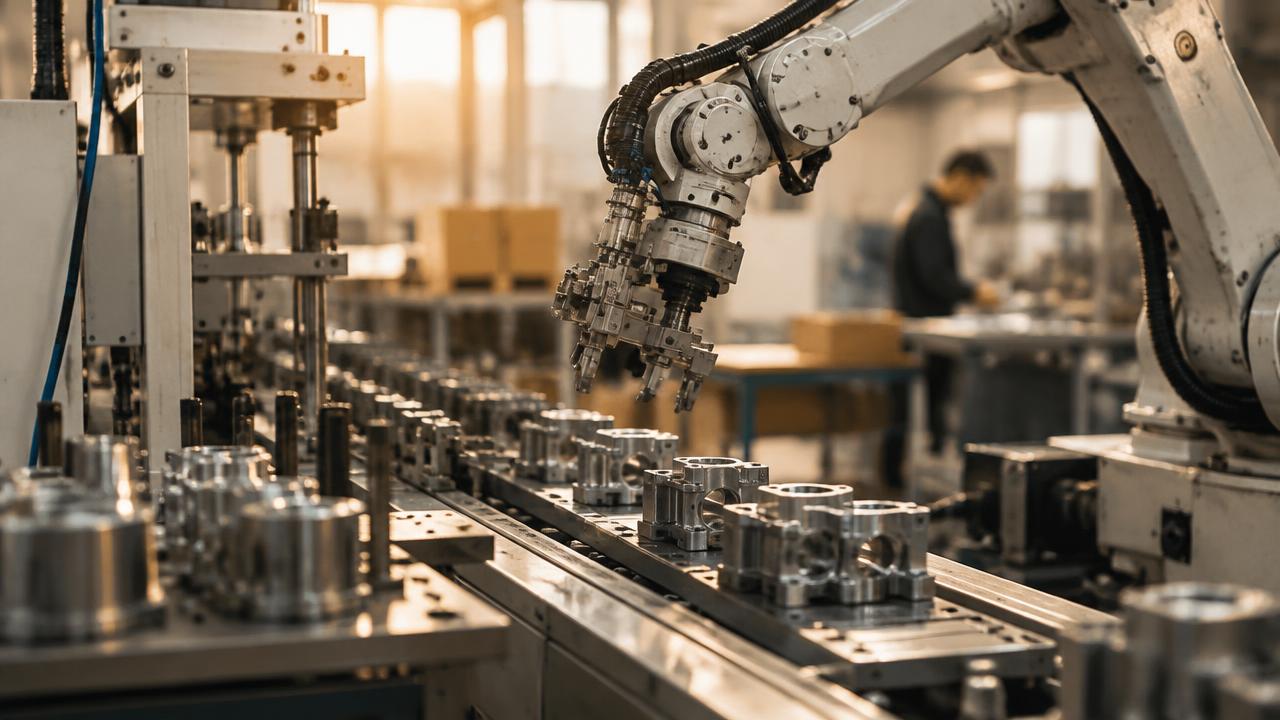
Why do things get more tangled as a business grows?
THE KNOT — VIBEZ Agency
In the beginning, things are simple.
You have a few employees, a manageable number of clients and processes that everyone knows. Quotes are made in Excel, orders are confirmed by email, and when someone needs a piece of information, they ask the right colleague.
It works.
Then the company starts to grow.
More orders arrive, along with new products, employees, departments and responsibilities. Additional applications are introduced, more complex spreadsheets are built and procedures are established for situations that used to be solved in two phone calls.
You would expect things to run more smoothly.
Instead, sometimes the exact opposite happens.
A simple quote ends up passing through three people. To find out the status of an order, someone has to call production. A client's details are entered into several systems, and a price change has to be updated manually in each one.
The company grows, but its processes do not keep pace.
And a question emerges that many entrepreneurs end up asking themselves:
Why do we have more resources, more people and more software, yet some things move slower than before?
The answer is not always a lack of staff, order volume or product complexity.
Sometimes, the problem is the way activities, information and teams are connected.
A business can function well within each department and, at the same time, struggle with collaboration between them.
This is precisely where what we call "The Knot" — the operational knot — begins to form.
1. How does a company get tangled in its own processes?
It rarely happens overnight.
Most of the time, complexity accumulates through decisions that, viewed individually, make complete sense.
The sales department needs to track clients better, so it introduces a CRM.
The quoting team uses an Excel sheet with formulas to calculate prices.
Production has its own system for tracking orders.
Accounting works in a different application.
Management requests reports, so new spreadsheets are built to centralize information from all departments.
Each team has solved, to some extent, its own problem.
But who took care of the connection between them?
Here lies an important difference between digitalizing individual activities and digitalizing a complete process.
The fact that a company uses multiple applications does not automatically mean they form a connected system.
You can have a powerful CRM, a production app and a very good invoicing program, but if information has to be copied manually between them, a large part of the work remains unchanged.
Moreover, this fragmentation becomes increasingly difficult to manage as business volume grows.
A process that works acceptably for ten orders can become problematic when it has to handle a much larger volume.
Not because people work less efficiently, but because the number of interactions, checks and information transfers increases.
The company ends up investing more and more resources in coordinating work, rather than necessarily doing it.
2. Five signs your processes have become too complicated
Operational problems are not always obvious.
Most of the time, they show up as situations employees come to treat as normal.
The same information is entered multiple times
A client requests a quote for a custom product.
The sales rep logs the request, enters the product dimensions and options, then sends the information to the person responsible for calculating the price.
That person fills in another file.
After the quote is accepted, the information reaches production, where it is entered again.
The same product. The same client. The same dimensions.
Every manual transfer adds work and creates the possibility of discrepancies.
The issue is not necessarily that an employee makes a mistake, but that the process forces several people to handle the same data independently.
Information exists, but is not accessible to those who need it
Imagine a client calling to ask when their order will be ready.
The sales rep cannot see the production status, so they message the colleague in charge.
The colleague checks the situation and replies when they can.
The rep then gets back to the client.
The information existed from the start. The problem was that it was not where it was needed.
In a company with connected processes, relevant information can become available to authorized departments without every update requiring a separate exchange of messages.
One employee becomes indispensable for a process to work
There are companies where certain operations only work because one person knows exactly how they must be done.
They know which file is the right one, where the latest prices are, which changes were approved and who needs to be contacted before confirming an order.
That experience is valuable.
The problem arises when information and rules are not documented, and operations depend exclusively on that person's availability.
An absence, departure or change in responsibilities can create disproportionate disruption.
Reporting takes too much time
A manager wants to know how many quotes were sent this month, how many were accepted and which orders are delayed.
To get the answer, someone exports data from the CRM, compares it with an Excel file and asks production for updates.
The report may be accurate, but it is only available after the information has been centralized and verified.
When reporting constantly requires this effort, decisions can end up being made on data that no longer reflects the exact current situation.
Every exception requires improvisation
A client changes the product dimensions after accepting the quote.
What happens next?
Does the price need to be updated? Who approves the change? How does the new configuration reach production? Which documents need to be regenerated?
If the answers differ from one person to another, the process is not well enough defined.
As more exceptions occur, the company accumulates informal procedures and temporary workarounds.
And temporary workarounds, if they stay in the company long enough, become part of the usual way of working.
3. A concrete example: the journey of an order in a manufacturing company
Let us take a hypothetical example, inspired by the kind of work found in companies that manufacture to order.
A manufacturer of gates and fences receives a request for a sliding gate.
The client sends the dimensions, desired model, color and details about the automation system.
The sales rep enters the data into an Excel file and calculates the price.
For certain configurations, they need confirmation from the technical department.
They send the information by email, receive the reply and finalize the quote in a separate document.
The client accepts.
Next comes preparing the contract. Information is copied from the quote, commercial details are filled in and the document is sent for signature.
After the order is confirmed, the rep sends the data to production.
The technical department checks the dimensions and configuration again. If there is a discrepancy, they ask for clarification.
Meanwhile, the client requests a change.
One of the dimensions changes, which can affect the price calculation, required materials and production documents.
The rep has to make sure the change reaches every document and every person involved.
None of these activities is necessarily complicated on its own.
The difficulty comes from the number of transfers and checks needed to keep information consistent.
Now imagine the same company receiving many orders at the same time, each with its own configurations, deadlines and changes.
Complexity no longer grows only with the number of products made.
It also grows with the number of interactions needed to manage them.
What could the same process look like in a connected system?
The request is logged in a CRM.
The rep configures the product in a dedicated interface, and the system applies the defined commercial and technical rules.
The price can be calculated based on the configuration, and the quote can be generated using the data already entered.
After acceptance, the information can be reused to prepare the contract and the order.
The production department receives the relevant data, including the configuration and approved changes.
Statuses are updated in a system accessible to authorized people.
If a client requests a change, it can follow a verification and approval flow before the affected documents are updated.
The essential difference is not that people disappear from the process.
They continue to negotiate, verify important details and make decisions.
But they no longer have to manually rebuild the same information at every stage.
4. The hidden costs of fragmented processes
When we talk about operational efficiency, the first question is often: "How much time do we save?"
It is a legitimate question, but time is only part of the problem.
The cost of commercial delays
A client requesting a quote may be evaluating several suppliers at the same time.
If preparing documents, calculating prices or running internal checks takes too long, the company may miss the chance to respond within a competitive window.
That does not mean the first supplier to send a quote automatically wins the contract.
Price, quality, delivery time and trust still matter.
However, a well-organized quoting process allows the sales team to focus on the client relationship instead of spending time on repetitive tasks.
The cost of errors and rework
When information is copied between documents, version differences can appear.
A dimension updated in one file may remain unchanged in another.
An old price may be used in a new quote.
An order may reach production without all the necessary information.
Each such situation can trigger extra checks, corrected documents or delays.
Automation does not completely eliminate the possibility of errors, but it can reduce certain risks associated with manual data transfer.
The cost of lacking visibility
A manager who does not have access to up-to-date information may struggle to set priorities.
If they do not know which orders are approaching their deadline, which quotes are waiting for a reply or where bottlenecks exist, it is harder to intervene in time.
Operational visibility does not just mean having dashboards.
It means access to relevant, up-to-date data structured well enough to support decisions.
The cost of relying on improvisation
A process that works only through the experience and availability of certain employees is hard to scale.
New colleagues need more time to learn the informal rules.
Managers have to step in more often on situations that could be handled through a standard flow.
And company growth can amplify these dependencies.
Over time, the organization risks becoming harder to manage precisely at the moment it starts to expand.
5. Why hiring more people does not automatically solve the problem
When orders increase and the team becomes overloaded, hiring additional staff can seem like the most obvious solution.
And in many situations, it is necessary.
If there are more projects to execute, more clients to manage or a genuine need for extra capacity, growing the team is natural.
But there is a difference between a lack of resources and inefficient use of existing ones.
If every order requires entering the same data in four places, one more employee does not eliminate the unnecessary step.
It only spreads it across more people.
If every quote has to be checked manually because pricing rules are not centralized, expanding the team can increase capacity without solving the root cause.
Moreover, each new person has to learn where information lives, which documents are current and what checks must be done.
Before adding resources, it is worth checking whether the process itself can be simplified.
Not to replace people, but to let them focus on activities that require experience, care and commercial judgment.
6. Digitalization is not just moving documents onto a computer
A company can have all its documents in digital format and still operate almost the same way as before.
Instead of physical binders, there are folders.
Instead of printed forms, there are Excel files.
Instead of papers carried between desks, there are email attachments.
These changes can be useful. Access and storage become simpler.
But they do not guarantee a connected process.
If every department still has to manually take information and enter it into another system, the change is only partial.
Operational digitalization aims for something more: making information usable throughout a process without unnecessary repetitive intervention.
Take a simple example.
In a fragmented process, client details are entered in the CRM, then copied into the quote and later into the contract.
In a connected process, the information entered initially can be reused in subsequent documents, with the necessary checks and approvals.
The difference seems small.
Yet the same logic can be applied to products, prices, deadlines, responsibilities and documents.
It is not just about automating the filling of a few fields.
It is about building a way of working where information can flow accurately between stages.
7. The role of CRM, ERP and CPQ in a connected company
To understand how a process can be simplified, it helps to separate the roles of the main types of software.
CRM — managing commercial relationships
A CRM, or Customer Relationship Management system, helps a company organize information about leads, clients and commercial opportunities.
It can centralize requests, conversation history, rep activities, sales stages and next actions.
In a well-configured process, the sales team can track which requests are new, which quotes are awaiting a reply and which opportunities need attention.
A CRM does not automatically solve every operational problem.
But it can create a clearer foundation for managing client relationships.
CPQ — configuring and quoting products
CPQ stands for Configure, Price, Quote.
This type of system is especially relevant for companies selling products with multiple variants, dimensions, accessories or calculation rules.
A configurator can guide the user in choosing compatible options.
A pricing engine can apply the pricing rules defined by the company.
And the quote can be generated using the resulting configuration.
For a manufacturer of gates, windows, furniture or other made-to-order products, this type of tool can significantly simplify repetitive commercial tasks when implemented properly.
ERP — coordinating operations
An ERP, or Enterprise Resource Planning system, can integrate processes and information across several areas of the company.
Depending on the implementation, it can include order management, production operations, inventory, purchasing, deliveries and reporting.
An ERP should not be viewed merely as a large application with many menus.
Its value depends on how well it reflects the company's real workflows and the quality of the information it manages.
Integrations — the link between applications
Not every company needs to use a single platform for absolutely everything.
Sometimes, the right solution is connecting existing applications.
A CRM can pass data to a quoting system.
A confirmed order can trigger an operational workflow.
A production system can update statuses visible to the sales team.
These connections can be built through APIs, automations or dedicated integrations, depending on the technical capabilities of each application.
What matters is that systems support the company's process together, rather than creating new obstacles between departments.
8. Not every company needs a full ERP
One of the most common mistakes in digitalization is choosing the solution before defining the problem.
A company notices that its processes are hard to manage and immediately decides to implement a complex ERP.
A large project begins, many features are introduced and employees have to change a large part of how they work all at once.
Sometimes, that approach is justified.
Other times, the main problem could have been solved with a much more focused intervention.
Maybe only quote automation was needed.
Maybe client information needed to be centralized.
Maybe two existing applications needed an integration.
Or maybe the process was under-defined and needed to be reorganized before any software investment.
Software should answer an operational need, not become a project just because digitalization is a priority.
For growing companies, a modular approach can be easier to manage.
You can start with a clearly identified problem, test the solution and expand the system later.
This approach does not remove the need for a coherent technical architecture.
On the contrary, it is important that the modules developed or integrated can work together over the long term.
Otherwise, you risk building a new knot of applications that solve individual problems but do not communicate with each other.
9. How do you start untying the operational knot?
Before investing in a new platform, trace the real path of an order, from the first inquiry to delivery.
Not just the path described in a procedure, but what actually happens on an ordinary day.
Step 1. Document the current process
Choose a process that matters to the company.
For example, quoting a custom product.
Follow every stage: who receives the request, who calculates the price, who approves the quote, who prepares the contract and how the order reaches production.
Note the applications used, the documents generated and the people involved.
The goal is not to find out who is making mistakes.
The goal is to understand how the process works in reality.
Step 2. Identify repetitive activities
Where is the same information copied?
Which documents have to be filled in manually?
Which checks are performed more than once?
At which stages does one department wait for another's reply?
These questions help identify activities that can be simplified.
Not every manual operation should be automated.
Some require professional judgment or human oversight.
But repetitive activities with clear rules can be good starting points.
Step 3. Establish the authoritative source of information
If a product's price appears in three different files, which one is the official version?
If a client updates their details, where should the change be made?
If an order's configuration changes, who approves the modification?
A connected process needs clear rules on ownership, updates and use of information.
Without them, automation can simply pass inaccurate data along faster.
Step 4. Prioritize problems with real impact
Do not start with the flashiest feature.
Start with a frequent, well-defined problem that matters enough to the company's operations.
It could be the time required to prepare quotes.
It could be the difficulty of tracking commercial inquiries.
It could be the manual transfer of data between sales and production.
Prioritization should consider how often the problem occurs, its operational impact, implementation complexity and associated risks.
A relatively simple automation applied to an important process can make more sense than a very complex platform introduced before the organization is ready.
Step 5. Test before expanding
A new system must be tested with real working situations.
It is not enough for it to work in a demo.
It has to handle incomplete information, changes, approvals and the exceptions that show up in daily work.
Involve the people who will use the platform.
Watch where difficulties arise and adjust the workflow before expanding.
Gradual rollout gives the company room to learn and fix issues without changing every operation at once.
Step 6. Measure the results
After implementation, check whether the process has actually improved.
Has the time needed to prepare a quote decreased?
Is the same data entered in fewer places?
Are there fewer discrepancies between documents?
Can employees find the information they need more easily?
Do managers have a clearer picture of operations?
Do not assume that automation automatically produced results.
Compare how work was done before and after the change, using relevant indicators.
10. Good automation also needs good rules
There is a tendency to treat software implementation as the end of a digitalization project.
In reality, technology is only one of the components.
A connected system needs clear responsibilities, accurate information and procedures adapted to how the team works.
For example, if a sales rep can change prices without defined rules, automating quote generation does not solve commercial control.
If there is no clear process for approving order changes, connecting quoting to production can transmit incomplete or unvalidated information.
If product data is not kept up to date, a configurator can produce wrong results even when the application works technically.
That is why software projects must also include an analysis of operational rules.
Who enters the information?
Who verifies it?
Who can modify a confirmed order?
What happens when an integration fails?
How are document versions managed?
Who has access to commercial and technical information?
These questions may seem less exciting than interface design, but they are essential for a reliable system.
Well-built software should make it easier to follow the company's rules without removing necessary controls.
11. Which indicators should management track?
A company does not need to measure every single activity.
It needs to track indicators that help spot bottlenecks and support decisions.
On the commercial side, relevant indicators can include response time to inquiries, quote preparation time, number of active opportunities and conversion rate.
On the operational side, what matters can include the time between order confirmation and production launch, deadline adherence, number of changes and frequency of corrections.
For administrative flows, it is worth examining the time spent on repetitive documents and the number of steps where data is entered manually.
These indicators must be interpreted in context.
A complex quote may legitimately take longer than a standard one.
A major technical change may require extra checks.
The goal is not to turn every activity into a race against the clock.
The goal is to identify time lost because of how work is organized, not the time needed to do things properly.
A useful dashboard should reflect that principle.
Instead of displaying dozens of charts unrelated to decisions, it should give management the information needed to see where problems are and what to prioritize.
12. When is it worth investing in a custom system?
Not every company needs software built from scratch.
There are many standard applications that handle common requirements very well.
An existing CRM may be enough to organize commercial activity.
An established invoicing system can handle fiscal documents efficiently.
An automation between two platforms can eliminate a significant share of repetitive work.
Custom software becomes relevant when processes, products or commercial rules are specific enough that standard solutions cannot cover them properly.
In the made-to-order industry, for example, there can be complex configuration rules.
Certain options are only compatible with certain dimensions.
Prices depend on materials, accessories and technical conditions.
Production documents must reflect the exact accepted configuration.
A custom system can be designed to manage these relationships in a coherent workflow.
However, custom development also brings responsibilities: maintenance, security, updates, documentation and adapting to company changes.
The decision should be based on the operational value of the solution and its long-term costs.
Not because custom software sounds more sophisticated.
13. How can VIBEZ help companies connect their processes?
At VIBEZ, we approach digitalization starting from the company's real operations.
Before proposing a CRM, an ERP or an automation, it is important to understand how information flows between departments.
Where does the client request come in?
How is the quote prepared?
What rules determine the price?
How does an accepted quote become an order?
What information needs to reach production?
How are deadlines, changes and responsibilities tracked?
The answers help us identify whether the problem can be solved by connecting existing applications, automating a workflow or developing a dedicated system.
Depending on the company's needs, we can design solutions such as CPQ configurators, CRM modules, ERP systems, document generators, automations and integrations between applications.
We do not start from the assumption that every company has to replace all the systems it uses.
Sometimes, the right solution is keeping the existing infrastructure and removing a few key bottlenecks.
Other times, the processes justify building a tailored platform.
In both cases, the goal is the same: a clearer workflow where relevant information reaches the right people at the right time.
And technology should support the work, not complicate it.
14. Business growth does not have to mean more disorder
A growing company will inevitably become more complex.
There will be more clients, products, employees, responsibilities and decisions.
Complexity itself is not a bad thing.
Often, it reflects organizational growth and the need for better-defined processes.
The problem arises when each new stage adds repetitive work, fragmented information and dependencies that could have been avoided.
When people have to compensate daily for the lack of connections between systems, company growth starts generating extra friction.
And gradually, the knot becomes harder and harder to untie.
The good news is that you do not have to change everything at once.
You can start by analyzing a single process.
You can identify where time is lost, where the same data is entered repeatedly and where delays occur between departments.
You can prioritize a concrete problem and build a solution around it.
Then you can continue, step by step.
Because the purpose of digitalization is not to have more applications.
It is to have a better way of working.
And when information, people and processes are properly connected, the company can become easier to coordinate as it grows.
Sometimes, the problem is not that the business has become too big. It is that the processes are still built for a smaller company.
What is the most complicated process in your company?
If your team is losing time transferring information between applications, preparing documents manually or checking order statuses, it is worth looking at where those bottlenecks come from.
At VIBEZ, we can evaluate your existing workflows together and identify opportunities for automation and software integration.
During a free initial audit, we discuss your current processes, operational challenges and the solutions that could make sense for your company.
Explore VIBEZ solutions and request a free audit
VIBEZ — SYSTEMS FOR GROWTH
Echipa VIBEZ Systems
Software · AI · Automation
Want to see how this applies to your process?
In the audit we look at a real workflow and show you what is worth automating, connecting or building.
Request the free audit